
Home / Forgot Password
6E Club Forgot Password
Tap Forgot Password on the 6E Club login screen. Enter your phone number, tap Send for a verification code, set a new 8 to 32 character password, type it again and tap Complete.
Part of our 6E Club guide home: every topic answered on one page.
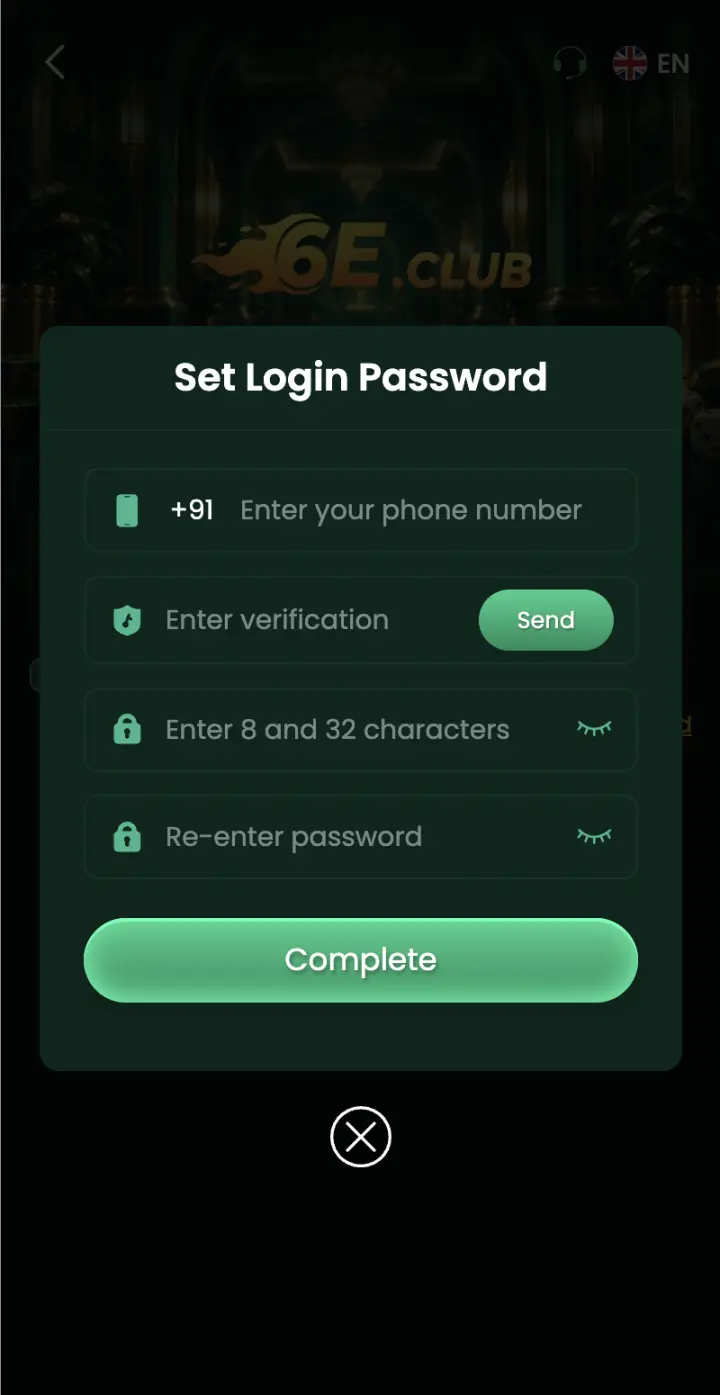
Reset steps
- On the login screen tap Forgot Password.
- Enter your 10-digit number (+91 preset).
- Tap Send and type the verification code you receive.
- Enter a new password of 8 to 32 characters and re-enter it.
- Tap Complete, then log in with the new password.
Code not arriving?
- Check the registered SIM is in your phone with signal.
- Turn off DND or SMS blocking.
- Wait for the timer before tapping Send again.
If your number has changed, use the Self Service Center option Change ID Login Password or Live Support. See 6E Club customer care.
Never share the verification code with anyone, including people claiming to be support.
Join 6E Club in 3 steps
- 01Tap Register: code K6GWHVN fills in by itself
- 02Enter your +91 number and an 8–15 character password
- 03Deposit ₹100 and the app adds an ₹18 bonus
18+ only. Real-money games carry risk; start small.
Common questions
How do I reset my 6E Club password?
Tap Forgot Password, enter your phone number and verification code, set a new 8–32 character password and tap Complete.
My 6E Club verification code is not coming. What now?
Check signal and DND, wait for the timer, then tap Send again. If your number changed, contact Live Support.